

Customer Rear LCD Display
Customer side LCD display for full invoice view, offers and idle messages.
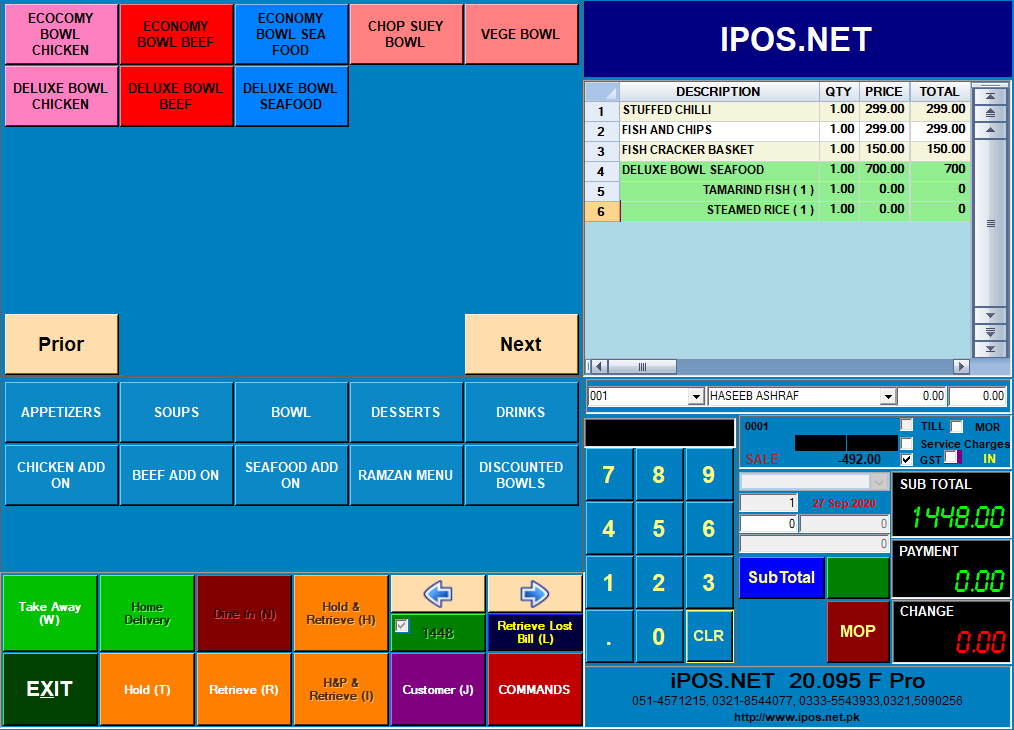
Customer Rear LCD Display is professional POS hardware for businesses that use iPOS at the sales counter, back office or checkout point. Customer side LCD display for full invoice view, offers and idle messages.
This hardware helps improve billing speed, customer service and operational accuracy for retail shops, supermarkets, pharmacies, restaurants, wholesalers and multi-branch businesses across Pakistan.
iPOS helps businesses select, configure and use the right hardware with POS software so daily sales, receipts, stock movement and reporting remain smooth and dependable.
- Compatible with iPOS billing and checkout workflows
- Reliable performance for retail counters and busy sales points
- Supports faster scanning, printing, cash handling or device operations
- Suitable for supermarkets, pharmacies, restaurants and wholesale counters
- Available with guidance for setup, installation and daily use
Questions customers usually ask
Clear answers for setup, customization and daily use.
Is Customer Rear LCD Display compatible with iPOS software?
Yes. Customer Rear LCD Display can be used with iPOS workflows where the device is suitable for the selected counter, receipt, barcode, cash or checkout requirement.
Which businesses can use Customer Rear LCD Display?
Customer Rear LCD Display is suitable for retail shops, supermarkets, pharmacies, restaurants, wholesalers and other businesses that need reliable POS hardware.
Can iPOS help with hardware setup?
Yes. The iPOS team can guide configuration, installation and practical use so the hardware works smoothly with daily operations.
Does Customer Rear LCD Display improve counter speed?
Yes. The right POS hardware helps reduce manual work, improves checkout flow and supports faster customer service.
How do I request Customer Rear LCD Display for my business?
You can contact iPOS with your business type and counter requirements, and the team will recommend the suitable hardware setup.